Safer Networks Start Here
From home users to network pros — all the tools you need, at a price that fits.
What's a Monitored Network?
A monitored network is a network automatically kept under control using Fing monitoring features. This gives you ongoing visibility into devices, changes, and security events - without manual actions.
It requires an active Fing Desktop or Fing Agent.
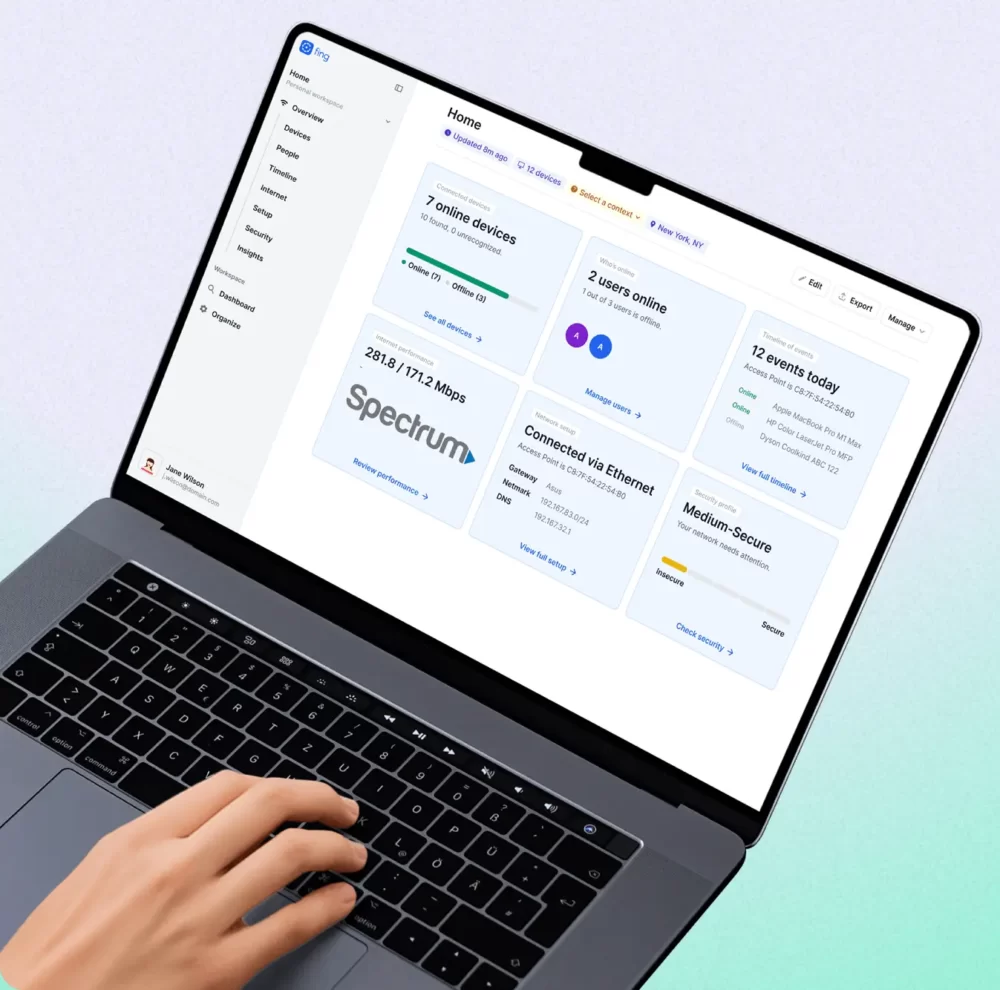
Monitor with Fing Desktop
Using Fing Desktop allows continuous monitoring of your network, unlocking automated security checks, device status alerts, a full timeline of events, and more.
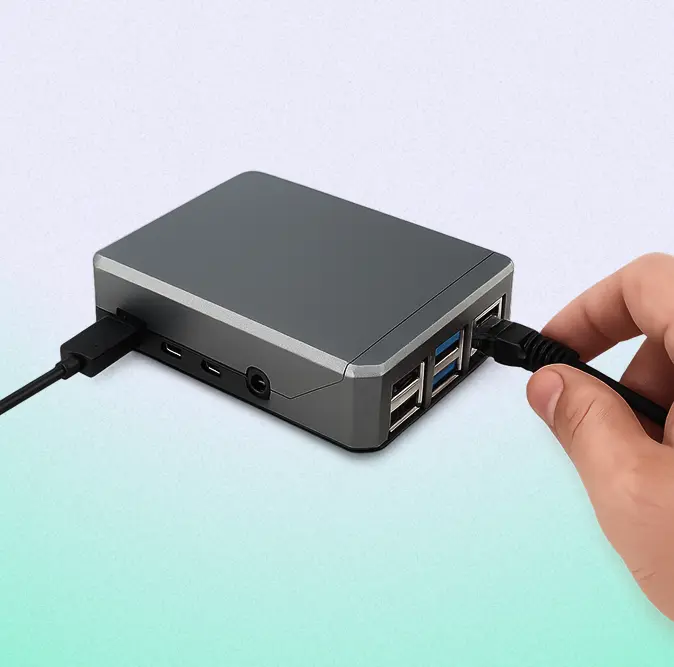
Monitor with Fing Agent
Create a true, always-on monitoring unit by installing Fing Agent on your preferred hardware, and enjoy 24/7 real-time monitoring.
Compare plans
- Show All
- Inventory
- Monitoring
- Diagnostic
- Security
- Reporting
- Collaboration
Starter
Best for 24/7 monitoring and network management
Premium
Best for advanced security and deeper network control
Professional
Best for businesses, MSPs, IT consultants and teams
Inventory
Device recognition
Scan storage
Device online status
Network health check
Manual scans
Automated scans
Monitoring
Monitoring requires an active Fing Desktop, Fing Agent or Fingbox for automated scans, checks and reporting
Event timeline
Number of monitored networks
Presence tracking
Device status update
New device detection
Event notification
Diagnostic
Troubleshooting tools
ISP rating and comparison
Internet speed test
Scheduled Internet speed test
Outage detection
Security
Open ports finder
Router vulnerability checks
Automated router vulnerability checks
Hidden cameras detector
Block network access
Automated block of new devices
Limit Internet time
Schedule Internet downtime
Reporting
Personalized network insights
ISP outage report
ISP benchmark
Local API
Export data
Internet performance report
Presence report
IFTTT integration
Collaboration
Guest access to workspaces
Workspaces management
NewAdvanced search across networks
Powerful filter templates
Roles management
Advanced reporting
SoonPricing FAQs
Who is Fing Starter for?
Fing Starter is for home users who want to go beyond basic scans and start actively monitoring their network’s security. It’s a great fit if you:
- Want to know whenever a new device connects to your Wi-Fi (or a known device goes offline).
- Need to check your router for vulnerabilities or detect hidden cameras.
- Like to track your ISP’s performance with scheduled speed tests.
- Want a 7-day timeline to review what’s been happening on your network.
If you’re looking for peace of mind without complexity, Fing Starter gives you the essentials.
Who is Fing Premium for?
Fing Premium is for power users who want full control over their home network and advanced cybersecurity protection. It’s the right choice if you:
- Need to block unauthorized devices or pause internet access for specific devices.
- Want continuous monitoring with an unlimited event timeline.
- Manage two networks — for example, your home and a second location.
If you want to take charge of your network security with no compromises, Fing Premium has you covered.
Who is Fing Professional for?
Fing Professional is for IT consultants, MSPs, small businesses, and home users with advanced setups who need to manage multiple networks efficiently. It’s built for you if you:
- Manage networks for clients or across multiple business locations.
- Need shared workspaces and multi-user collaboration for your team.
- Require advanced reporting and powerful search across all monitored networks.
- Want up to 3 monitored networks under one subscription, with the option to add more.
If network management is part of your job — or your business doesn’t have a dedicated IT team — Professional gives you the tools to stay in control.
What billing options do you offer?
Fing subscriptions are available on a monthly or yearly basis. Monthly plans offer flexibility, while yearly plans provide significant savings. You can cancel either option at any time — your access continues until the end of your current billing cycle.
Can I change my billing cycle or switch plans?
Yes to both. You can switch between monthly and yearly billing, or upgrade/downgrade your plan, at any time. Billing cycle changes take effect at the end of your current period, while plan changes take effect immediately.
Can I cancel my subscription at any time?
Yes, you can cancel at any time — no questions asked. You’ll keep access to your paid features until the end of your current billing cycle. For example: if you subscribed to a monthly plan on May 4th and cancel on May 6th, you’ll still have full access until June 4th.
Is my payment secure?
Absolutely. All payment data is securely transmitted and encrypted directly to our payment processor, Stripe, which is fully PCI DSS-compliant. Fing never collects or stores your bank or credit card details.
Depending on your payment method, you may be asked to complete additional verification steps such as entering a security code or using multi-factor authentication.
What payment methods do you accept?
We accept all major credit and debit cards, as well as:
- PayPal
- Apple Pay
- Google Pay
More options may be available depending on your region.
Why was my payment declined?
If your payment was declined, try the following:
- Check your balance — ensure sufficient funds are available in your account or on your prepaid card.
- Verify card details — double-check that all information is entered correctly.
- Contact your bank — some providers block transactions based on country restrictions. Ask your bank to authorize the payment.
If the issue persists, reach out to our support team for assistance.
Why is the price at checkout different from what's shown on this page?
The prices listed on this page are in US dollars (USD). The final amount at checkout may differ due to:
- Currency conversion — if your local currency is different from USD, the price will be converted at the current exchange rate by your payment provider.
- Local taxes — depending on your country or region, applicable taxes (such as VAT or sales tax) may be added at checkout.
- Payment provider fees — some banks or payment methods may apply a small foreign transaction fee.
The exact amount will always be displayed before you confirm your purchase — no surprises.